In this primer we will demonstrate how to obtain a small set of data from a large collection of datasets using the OGC Web Mapping Service (WMS) protocol. We will show that requesting images through WMS is just as easy as buying an ice cream.
Find a WMS server
Find a data web source that hosts a WMS server (go to an ice cream vendor). You can find WMS servers through hearsay, or via catalog services. OpenEarth provides a limited list to start with. We will use the Shuttle Radar Topography Mission datasets hosted at the Woods Hole Institute THREDDS OPeNDAP server as example in this primer. THREDDS OPeNDAP servers can be configured to serve WMS for orthogonal datasets with proper geographic information.
Request an overview of the content of a WMS server
Ask for what the server has to offer (see which flavours he has and which kind of cups). You need to add the following mandatory <keyword,value> pairs to the base server url, separated by an &, e.g.: ?service=WMS&request=GetCapabilities.
keyword | value | source |
|---|---|---|
service | WMS | Mandatory WMS standard value |
request | GetCapabilities | Mandatory WMS standard value |
This procedure works for all subsequent <keyword,value> pairs in this primer:
http://geoport.whoi.edu/thredds/wms/bathy/srtm30plus_v6?service=WMS&request=GetCapabilities
This url will return an xml file that contains an inventory of the available datasets. (You can also request availabe datasets for one WMS version only by appending the optional version keyword.). For GIS package users you do not have to read the rest of this tutorial, you can simply feed http://geoport.whoi.edu/thredds/wms/bathy/srtm30plus_v6?service=WMS to your GIS package that can handle WMS, like Google Earth.
Inspect the overview of the content of a WMS server
Look at what versions of WMS the server has to offer (check whether the ice cream is fresh). For each version there is a
tag WCS_Capabilities with attribute version, as shown in the reduced xml file example below:
<WMS_Capabilities version="1.3.0" ... >

<Capability>
<Request>
...
<GetMap>
<Format>image/jpeg</Format>
<Format>image/png</Format>
<Format>application/vnd.google-earth.kmz</Format>
<Format>image/gif</Format>
...
</GetMap>
...
</WMS_Capabilities>
For each WMS version a number of datasets is hosted. Select one dataset (ice cream flavour) from the list through the Layer tag. The name of the dataset is the name tag, in this case there is only topo. The xml file indicates that this dataset can be delivered in four well-known image different formats (this ice cream flavour ice cream is available in a cup, a cone and on a stick): jpg, png, kmz ad gif.
<Layer>
 ...
 <CRS>EPSG:4326</CRS>
 <CRS>CRS:84</CRS>
 <CRS>EPSG:41001</CRS>
 <CRS>EPSG:3857</CRS>
 <CRS>EPSG:27700</CRS>
 <CRS>EPSG:3408</CRS>
 <CRS>EPSG:3409</CRS>
 <CRS>EPSG:32661</CRS>
 <CRS>EPSG:32761</CRS>
 ...
 <Layer>
  <Title>UCSD SRTM30_v6 Global DEM (30 sec)</Title>
  <Layer queryable="1">
  <Name>topo</Name>
  ...
  <Style><Name>boxfill/redblue        </Name>...
  <Style><Name>boxfill/redblue        </Name>...
  <Style><Name>boxfill/alg            </Name>...
  <Style><Name>boxfill/ncview         </Name>...
  <Style><Name>boxfill/greyscale      </Name>...
  <Style><Name>boxfill/alg2           </Name>...
  <Style><Name>boxfill/occam          </Name>...
  <Style><Name>boxfill/rainbow        </Name>...
  <Style><Name>boxfill/sst_36         </Name>...
  <Style><Name>boxfill/ferret         </Name>...
  <Style><Name>boxfill/occam_pastel-30</Name>
  ...
  </Layer>
 </Layer>
</Layer>
From the above xml extract we will can distill all values necesarry to request an image. Note that this dataset is available in 9 coordinate systems (EPSG:4326 is required, this is the WGS84 lat-lon system), and in 11 different color maps.
Request some WMS server content
Now we can actually get a subset from the dataset want by using request=GetMap instead of the request=GetCapabilities we used above to obtain the meta-data (order ice cream). The following <keyword,value> pairs are mandatory for the Getmap request.
keyword | value | source |
|---|---|---|
service | WMS | Mandatory WMS standard value |
request | GetMap | Mandatory WMS standard value |
version | 1.3.0 | One of the mandatory WMS standard values returned by returned by the |
BBOX | 0,50,10,55 | bounding box: min(longitude),min(latitude),max(longitude),max(latitude) . WMS is know to be a hotchpotch for coordinate order, this particular server configuration seems to prefer lat-lon. |
layers | topo | WMS counterpart of WCS |
format | image/png | One of the mandatory WMS standard values by returned by the |
CRS | EPSG%3A4326 | One of the server-defined values by returned by the |
SRS | EPSG%3A4326 | for WMS version 1.1.1 use SRS instead of same as CRS, and mind that lat-lon have been swapped for WGS84 EPSG%3A4326 compared to version 1.3.0 |
width | 800 | width of the image in number of pixels. The xml file show a max |
height | 600 | height of the image in number of pixels |
styles | boxfill/redblue | One of the server-defined values by returned by the |
A valid WMS request example for one of the available formats is given below (NB you can copy-n-paste it into your browser address without removing the end-of-line enters). You can copy it into your browser to obtain the image, and see that it works. We chose the same bounding boxes as in the OPeNDAP primer that access these very same datasets via netCDF libraries in Matlab, python or R. We discussed the pros and cons of WCS vs OPeNDAP in a paper in Transactions in GIS that was presented at the FOSS4G conference.
http://geoport.whoi.edu/thredds/wms/bathy/smith_sandwell_v11?service=WMS
&version=1.3.0
&request=GetMap
&bbox=50,0,55,10
&layers=topo
&format=image/png
&crs=EPSG%3A4326
&width=800
&height=600
&styles=boxfill/redblue
Use WMS server content
The procedure described above is illustratory to understand how WMS works, and to implement your own WMS request in scripting languages like Matlab, Python or R. However, most users of WMS will never ever have to see how WMS works, because user-friendly computer programs can construct the WMS urls for you. Or the WMS has been integrated as back-ground technology in web-portals. Well-known user-friendly WMS clients are Google Earth for the general public, and GIS packages for professionals like ESRI ArcGis and QGIS.
More
Some additional, optional WMS keywords are also possible. In addition, some WMS implementations offers more functionality than described in this primer. It it also possible to request a legend for a specific style, and to request the data at one pixel an image you requested. For these more sophisticated options, please refer to the full WMS specifications or WMS extentions with some non-standard extensions by THREDDS/ncWMS. An import one is COLORSCALERANGE.
keyword | value | source | |
|---|---|---|---|
TRANSPARENT | True | Background transparency of map, valid for encoding format that can handle transparency, e.g. png. | standard |
time | yyyy-mm-ddTHH:MM:SSZ | ISO time notation. Only when data are time-dependent. When not specified for data that is time-depended, the latest time is returned. Time is not implemented in most GIS-minded software packages yet. For an example on how to specify time requests see MapServer . For an example of time implementation see the ADAGUC WMS server and WMS web client. | standard |
elevation | number | elevation of layer desired | standard |
BGCOLOR |
| background color of map (format 0x hexadecimal code of color, so white is &BGCOLOR=0xffffff) | standard |
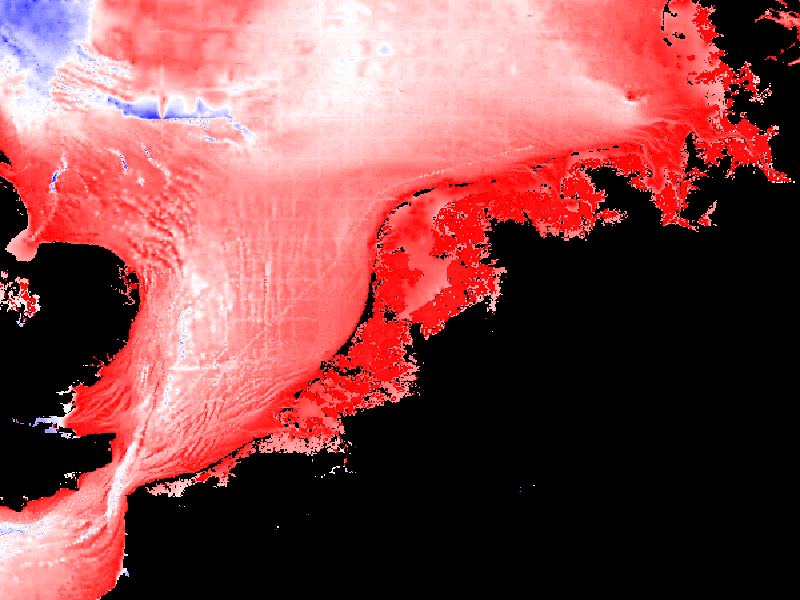
COLORSCALERANGE | "auto" or "min,max" | min. and maximum color range values | NOT STANDARD |
 -
-  -
- 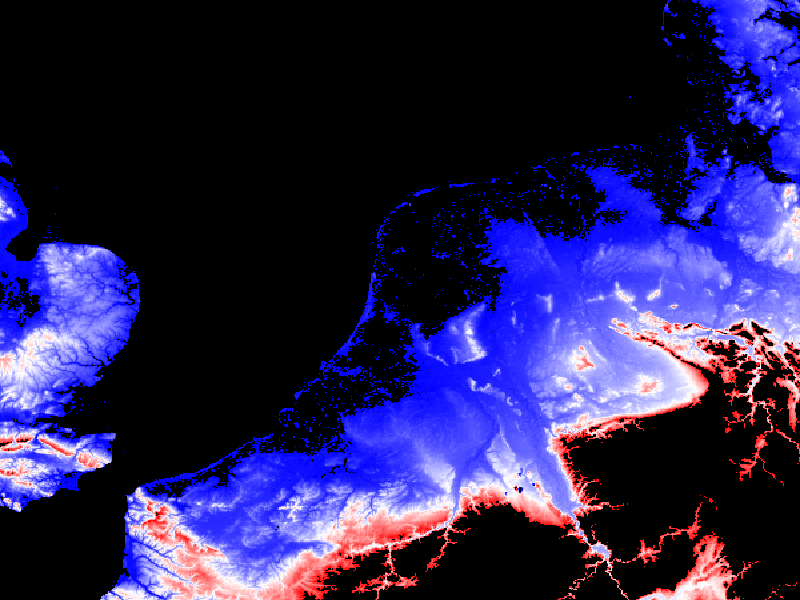
Figure: example of the same image, same style but different COLORSCALERANGE
See also: MassGIS WMS, Opengeo WMS, NLR geo services
Examples

|

|

|

|
|
style boxfill/redblue -100 0
|
style boxfill/redblue 0 200
|
style boxfill/sst_36
|
style boxfill/rainbow
|

|

|

|

|
|
style boxfill/occam_pastel-30
|
style boxfill/alg2
|
style boxfill/ferret
|
style boxfill/occam
|

|

|

|

|
|
style boxfill/alg
|
style boxfill/redblue
|
style boxfill/ncview
|
style boxfill/grayscale
|
